How To Increase Reply Rate Cold Email: Proven Strategies And Tactics



You pull up campaign metrics after a big send and feel a twinge of disappointment: a handful of replies, a few positive notes, and a bunch of silent opens that look like failure compared to a Reddit thread bragging about 90 percent. The mistake isn’t hustle, it’s the metric—treating raw reply count and viral anecdotes as a benchmark instead of segment quality, deliverability, and reply usefulness. This piece will walk you through realistic reply-rate ranges, how to calculate delivered and meaningful reply rates, why ICP and triggers matter more than clever one-liners, and which sequencing, personalization, and deliverability checks actually move pipeline. By the end you’ll know what numbers to expect, how to measure them cleanly, and where to focus effort so replies turn into real opportunities.
What Reply Rates Are Realistic?
What Is The Average Reply Rate?
Cold email reply rates vary wildly by target quality, message, and sequence design. Expect 1 to 3 percent for a single, generic cold blast. With a well-targeted ICP, relevant triggers, and a multi-touch sequence, 8 to 15 percent is a realistic midrange. If you combine strong intent signals and tailored messaging, some pockets can produce 20 to 30 percent replies, but those are exceptions, not the norm. Measure by segment, not by campaign type, because a high reply rate from low-value leads still wastes SDR time.
Remember reply rate is one metric in a system, not the whole story. Outbound is now a marketing motion, so you should measure reply quality, pipeline created, and conversion to opportunities alongside raw reply numbers.
How To Calculate Your Reply Rate
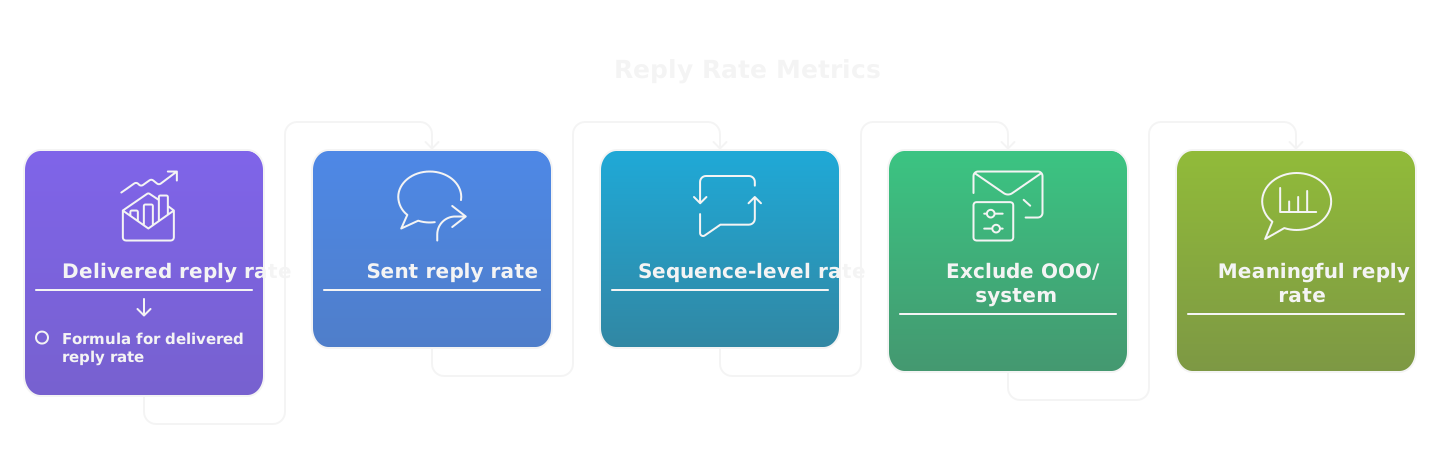
Use a clear, repeatable formula.
- Delivered reply rate = unique human replies / emails delivered.
- Sent reply rate = unique human replies / emails sent, only if you don’t filter for bounces.
- Sequence-level reply rate = unique replies to any step in the sequence / delivered for that sequence.
Exclude automatic out-of-office and system messages, mark duplicates once, and attribute replies to the first touch that prompted a reply when possible. Example: you sent 2,000 emails, 150 bounced, and you got 120 unique human replies. Delivered reply rate = 120 / (2,000 - 150) = 6.8 percent.
Track reply quality too: replies that are positive or progressable, divided by delivered, give you a “meaningful reply rate” that correlates with pipeline.
Reddit Anecdotes Versus Industry Data
Reddit and Twitter are full of headline stories, like someone getting 90 percent replies with a one-line email. Those stories survive because they’re dramatic, small samples, and often cherry-picked. They ignore selection bias, the time invested in research, and target pool size.
Industry averages smooth out extremes and show what’s repeatable at scale. Use anecdotes as inspiration, not benchmarks. Test tactics that look promising on a small set, then scale only if they hold up across 100s of prospects. The win comes from systems, not hacks, because AI and automation let anyone try a tactic quickly, but only a solid GTM system will make it repeatable.
Who Should You Email?
How To Define Your Ideal Customer Profile
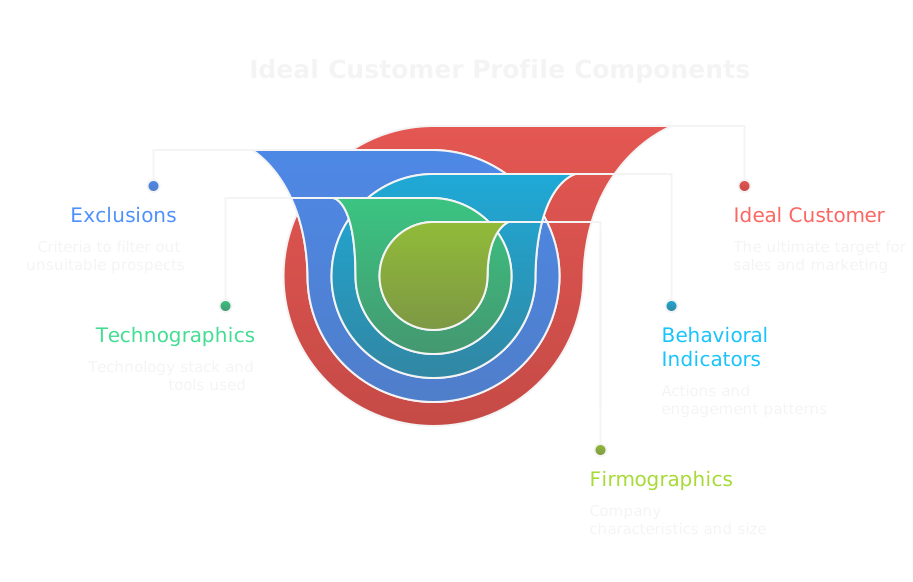
An ICP is a checklist that separates likely buyers from noise. Build it with attributes you can measure and enforce.
- Firmographics: industry, company size, ARR, geo.
- Role and title: job function, seniority, decision stage.
- Technographics: what stack they use, vendors they already buy.
- Behavioral indicators: recent product searches, demo requests, or content consumption.
- Exclusions: channels you won’t touch, non-buying roles, or compliance risks.
Write your ICP as rules, not fuzzy ideas. Example: target US SaaS companies, 50 to 500 employees, using HubSpot, with Head of RevOps or VP Sales as primary contacts. That lets automation and SDRs execute predictable outreach.
How To Use Intent And Trigger Signals
Intent signals tell you when outreach will land. Useful triggers include job postings for specific hires, recent funding, tech changes, app reviews, high traffic pages, whitepaper downloads, and third-party intent feeds.
Actionable approach:
- Score signals by lead quality and immediacy.
- Use high-intent triggers for first-touch outreach.
- Use low-intent signals to nurture and drip.
Timing matters. Outreach within days of a trigger outperforms outreach months later. With AI and cheap data, you can turn trigger-driven lists into prioritized, timed campaigns that look like inbound.
How To Validate And Clean Email Lists
A clean list equals higher deliverability and better reply signals. Do this regularly.
Essential steps:
- Remove hard bounces and role addresses, keep personal work emails.
- Verify MX, SPF, and domain status before sending.
- Deduplicate across campaigns and CRM.
- Remove contacts with repeated soft bounces or spam complaints.
- Respect opt-outs and local privacy rules.
How to use Clay for list validation
Clay can enrich and validate B2B contact lists while stitching signals across platforms. Use Clay to bulk enrich company and contact fields, dedupe by email and company, and attach recent trigger events. Clay’s link gives 3,000 free credits, which helps you test enrichment and validation at scale. Practical steps:
- Import your CSV into Clay.
- Enrich contacts for title, company, tech stack, and recent funding or hiring signals.
- Filter out role emails and low-confidence emails.
- Export clean, scored lists to your outreach tool.
Do not buy low-quality lists. Validation tools reduce risk, but the right ICP and trigger filters prevent wasted sends.
How To Prioritize High Value Segments
Not all replies are equal. Score segments by expected deal value and conversion probability.
Simple prioritization matrix:
- Value (ARR potential)
- Fit (ICP match)
- Intent (trigger score)
- Time-to-close (shorter cycles rank higher)
Weight these factors and sort lists into tiers. Focus Tier 1 for human review and hyper-personalized sequences, Tier 2 for semi-personalized automation, Tier 3 for low-touch nurture. If you need capacity to scale priority segments quickly, an outbound agency like SalesCaptain can act as a GTM accelerator, turning your top tiers into hands-on outreach programs.
How To Write Subject Lines That Convert?
Which Subject Line Formulas Work Best
Subject lines that convert combine relevance, curiosity, and clarity.
Proven formulas with examples:
- Company + value hint: “How Acme cut demo time by 40%”
- Reference + short ask: “Quick intro, [mutual connection]?”
- Trigger + outcome: “Post-funding onboarding question”
- Question that identifies a pain: “Struggling with inconsistent pipeline?”
- Curiosity with specificity: “One reason SDRs miss renewals”
- Social proof: “How 3 fintechs solved X”
Keep it 3 to 7 words when possible. The headline should set accurate expectations for the body.
How To Use Personalization Without Overdoing It
Personalization should be signal-driven and defensible.
Rules:
- Use 1 to 2 tokens only, like {company} or {title}, especially in subject lines.
- Personalize when you have a relevant, verifiable hook, such as a recent job posting or funding event.
- Avoid overly personal details that read fake or creepy.
- Let the body carry the heavier, contextual personalization.
Good personalization increases relevance, not length. If you spend hours on every prospect, you won’t scale. Use automation to surface real signals, then add a human touch where it matters.
How To Avoid Spammy Words And Tricks
Spammy subject lines kill both opens and deliverability. Avoid hyperbole and signals that trigger filters.
Words and practices to avoid:
- All-caps, excessive punctuation, and multiple emojis.
- Money and urgency clichés like “Make $$$,” “Act Now,” “Limited Time.”
- Deceptive phrasing, like “RE:” unless you actually have a thread.
- Attachments in the first email.
Use a personal from-name, plain text format, and consistent sending domains. Maintain domain hygiene with SPF, DKIM, and DMARC. Honesty in subject lines keeps replies human and sustainable.
How To A/B Test Subject Lines Effectively
Test with a hypothesis and a plan.
Steps:
- Define the hypothesis, for example “short curiosity subject will increase opens and replies.”
- Split a representative sample randomly into two groups, keep the body identical.
- Run the test long enough to capture typical open patterns, usually 48 to 72 hours for cold sends.
- Measure both open and reply rates, but prioritize reply rate as the outcome that matters.
- Decide using practical thresholds, not false precision. If one variant shows a consistent 10 to 15 percent lift in reply rate across similar segments, roll it out.
For smaller lists, run sequential tests across multiple similar segments rather than waiting for large sample sizes. Consider a multi-armed bandit approach where better performers automatically get more volume. Track learnings in your GTM system so tests build institutional knowledge, not just one-off wins.
How To Structure Messages For Replies?
How To Open With A Relevant Hook
Start with one crisp line that proves this email belongs in their inbox. Use a signal, not a compliment. Examples of reliable hooks:
- Recent trigger, like funding, hiring, or a product change.
- A metric you can plausibly affect, tied to their role.
- A mutual connection or a shared piece of content they posted.
Keep the hook verifiable in one clause. If you can’t prove it with a single sentence, don’t use it. The hook sets permission to continue, so make it specific and expectable, not clever for cleverness’ sake.
How To State Value Quickly
Say what you do in plain terms, then attach a short tangible outcome. Two-sentence pattern works:
- One-line outcome statement, who it helps, and the metric or timeframe.
- One quick qualifier that narrows fit.
Example: “We help Head of RevOps at mid-market SaaS cut demo-to-deal time by 30% in 90 days. We do that by automating qualification using the same GA signals you already collect.” That gets you into the conversation without forcing them to read a paragraph of product features.
How To Ask One Clear Call To Action
Ask for one thing only, and make it low friction. Good CTAs convert:
- Yes/no options, e.g., “Is next Tuesday or Thursday better?”
- A single low-effort commitment, e.g., “15 minutes to see a 2-slide plan?”
- A micro action, e.g., “Can I send 3 use cases from companies like yours?”
Avoid asking to schedule, demo, and provide budget all at once. One CTA reduces cognitive load and raises reply rates.
How To Use Social Proof And Credibility
Social proof matters when it’s relevant and concise. Use one of these formats:
- Name-drop one recognizable customer in their category, with a short result: “We helped Acme reduce churn 18%.”
- Numeric proof, e.g., “Used by 120+ RevOps teams.”
- Very short testimonial or press line, two clauses max.
Place social proof after the value line as reinforcement. If you can’t name a recognizable peer, use a precise metric instead. Don’t clutter the email with multiple logos or long case studies.
How To Keep Messages Short And Scannable
Every sentence must pay rent. Practical rules:
- 3 to 6 lines in the body for first touch.
- Use spacing, short sentences, and one bullet for the offer or outcomes.
- Keep subject, hook, value, CTA in that order and nothing else.
Readers scan. If they can see relevance in three glances, they’ll reply. If they have to hunt, they won’t.
How To Personalize Without Burning Time?
What Micro Personalization Tactics Work
Micro personalization is about high-signal, low-effort touches:
- Title-focused tailoring, e.g., “as Head of Sales Ops” highlighting role pain.
- Trigger mention, like “saw you raised $15M last month.”
- Recent content or quote, one short phrase max.
- Tech stack token, e.g., “using HubSpot” when it matters.
Use one micro-personalization per email. It’s enough to raise relevance and cheap enough to scale.
How To Combine Automation With Human Touch
Automation should surface signals and do the heavy lifting, humans should add judgment. Practical combo:
- Automation pulls triggers, enrichment, and templates.
- Tier 1 accounts get a human review and 1 to 2 bespoke lines.
- Tier 2 gets tokenized personalization and a human-scheduled send window.
- Tier 3 is a templated, trigger-driven drip.
This lets you use AI and automation to scale while preserving human creativity where it moves the needle. Outbound is a marketing motion now, so build the workflow, not just the one-off email.
When To Use Manual Research Versus Tokens
Choose manual research when the upside justifies time:
- High ARR potential accounts.
- Strategic logos you want to win.
- Complex buying committees.
Use tokens and automated signals for volume plays:
- Routine ICP matches.
- Early-stage triggers where speed matters more than depth.
Set explicit rules in your GTM system: time per prospect, signals that trigger manual work, and expected outcomes. Treat manual personalization like a limited resource.
Examples Of Scalable Personalization Lines
Use short, repeatable lines that feel handcrafted:
- Trigger based: “Congrats on the Series A — curious how you’re scaling onboarding.”
- Role based: “As Head of CS, do you track NPS at the account level?”
- Tech stack: “Noticed you run Segment, have you tried event-based renewals?”
- Content reference: “Liked your post on SDR comp, quick question about quota resets.”
- Mutual connection: “Alex at ClearApps suggested I reach out about process automation.”
Each line is 6 to 10 words, verifiable, and easy to swap in templates.
How To Build Effective Follow Up Sequences?
How Many Follow Ups To Send
Most winning sequences are 4 to 6 touches over 3 to 6 weeks. Why:
- One email rarely captures attention.
- Early touches confirm deliverability and interest.
- Later touches catch changing priorities or new triggers.
Plan diminishing ask intensity, from a quick intro to a stronger case study or demo only if interest shows. Track meaningful replies, not just any reply.
When To Change Messaging Versus Frequency
Change message when engagement signals suggest a different approach:
- If opens but no reply, change the CTA or value prop.
- If no opens, try subject line, send time, or domain reputation fixes.
- If opens then clicks but no reply, send a follow up with an added proof point or specific next step.
Change frequency only for deliverability issues or clear negative signals. Don’t increase cadence to make up for poor messaging, fix the message instead.
How To Write Breakup And Reengage Emails
Breakup email rules:
- Keep it short, polite, and final.
- Offer one last clear CTA, then state you’ll pause outreach.
Example structure:
- One-line reminder of value.
- One-line final offer, e.g., “If you’re interested, I can share X.”
- One-line pause statement, e.g., “I’ll close your thread unless I hear back.”
Reengage emails should reference a new signal, not just “following up.” Good reengage triggers:
- New funding, hire, or public event.
- A recent content piece they published.
- A fresh case study relevant to them.
Reengage example: “Congrats on the VP of Rev hire. We just helped a similar team cut ramp time by 40%. Want the 2-slide plan?”
Example 5 Step Follow Up Sequence
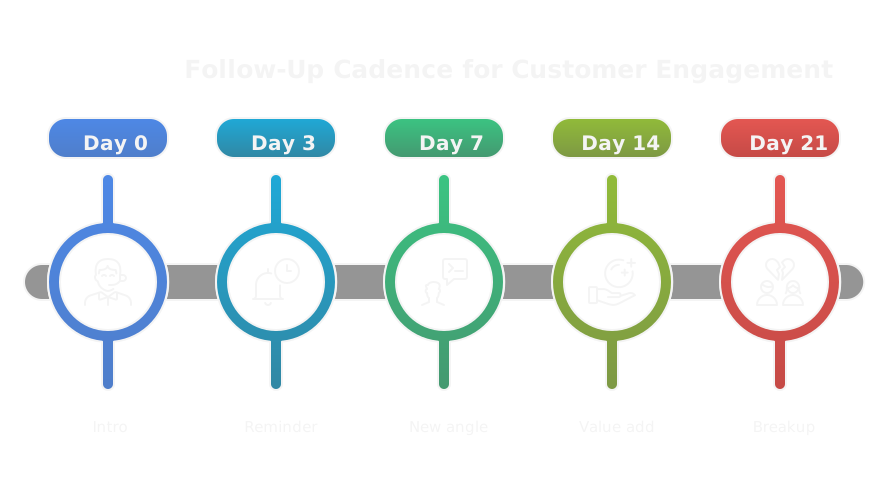
A concise, battle-tested 5-step sequence with timing and intent:
1. Day 0, Email 1 — Intro + one-line value + one CTA. Tone: curious.
- CTA: “15 minutes next week?”
2. Day 3, Email 2 — Quick reminder + single social proof + alternative CTA. Tone: helpful.
- CTA: “Want the 2-case PDF or a quick call?”
3. Day 7, Email 3 — New angle or short case study, lower friction ask. Tone: specific.
- CTA: “Can I send a 60-second video explaining our approach?”
4. Day 14, Email 4 — Offer value without commitment, e.g., benchmarking data or audit. Tone: generous.
- CTA: “Want a 5-minute look at where you stand vs peers?”
5. Day 21, Email 5 — Breakup with an explicit pause and one last micro ask. Tone: final but polite.
- CTA: “If now’s not right, should I check back in 3 months?”
Measure replies and meaningful outcomes at each step. Use automation to track opens, clicks, replies, and downstream pipeline. Iterate sequences like a marketing funnel, use signals to prioritize manual follow ups, and treat follow ups as part of your GTM system, not a rote checklist.
How To Improve Deliverability And Inbox Placement?
How To Configure SPF DKIM And DMARC
SPF, DKIM, and DMARC are the foundation of inbox trust. Set them up and monitor them like infrastructure, not a one-time checkbox.
- SPF, set the sending IPs for your domain in a single TXT record, keep it concise and avoid multiple overlapping SPF records. Use include statements for vendors, then test with an SPF validator.
- DKIM, publish a selector and private key on your sending system, rotate keys periodically, and ensure headers are signed consistently across all sending sources.
- DMARC, start with p=none to collect reports, parse aggregate (rua) reports and forensic (ruf) reports to spot spoofing, then move to quarantine and finally reject after 4 to 8 weeks of clean signals.
- Ensure alignment between envelope from, header from, and DKIM signing domain, because providers use alignment for DMARC decisions.
- Use short TTL while changing records so rollbacks are quick. Verify configuration with Google Postmaster, MXToolbox, or dedicated tools that parse DMARC reports.
Do not guess settings. Misconfigurations cause silent deliverability losses.
How To Warm Up Domains And Sending IPs
Warming is gradual behavior change, not just volume increase.
- Use a schedule: start with very low daily volume and increase by 10 to 30 percent every 2 to 3 days while watching engagement and bounce rates.
- Warm both domain and IP. If you use shared IPs from a provider, confirm their warming process and reputation history.
- Seed your ramp with high-quality addresses that will open and reply, such as internal accounts, partners, or test inboxes, to generate positive engagement signals.
- Vary sending times and hourly cadence to mimic human patterns. Avoid huge bursts from new domains.
- Separate critical transactional traffic from cold outreach traffic, ideally using subdomains for large cold programs, so core corporate mail stays healthy.
- Automate warming with a tool if you run many domains, but keep human oversight for reputation anomalies.
Warming is about engagement, not just hits. Early replies and opens matter more than raw sends.
How To Monitor Reputation And Blacklists
Detect problems early and act fast.
- Track provider dashboards: Google Postmaster, Microsoft SNDS, and Yahoo/Verizon tools when available. They show spam rate, IP reputation, authentication, and complaint trends.
- Monitor third-party scores like Cisco Talos, SenderScore, and MXToolbox blacklists. Set alerts for sudden changes.
- Subscribe to ISP feedback loops so complaints map back to specific campaigns and addresses.
- Maintain an internal reputation dashboard: deliveries, bounces, spam complaints, unsubscribe rate, and reply rate by domain and IP, updated daily.
- If you hit a blacklist, pause the offending stream, remove bad addresses, fix authentication, then request delisting after remediation.
Reputation monitoring should be part of your GTM feedback loops, not a monthly task.
How To Handle Bounces And Spam Complaints
Treat bounces and complaints as signals, and act immediately.
- Hard bounces: remove immediately and add to a suppression list. Do not retry.
- Soft bounces: retry with exponential backoff for a defined window, then suppress if persistent.
- Complaints: send rate should be below ISP thresholds, aim for under 0.1 percent complaints. When a complaint occurs, suppress that address and review the campaign for targeting or message problems.
- Maintain suppression lists across domains and tools so you do not resurface opted-out or problem addresses.
- Investigate spikes: correlate complaints with subject lines, templates, recipient segments, and sending cadence. One bad creative can tank a domain fast.
- If reputation is damaged, pause the program, cleanse lists, fix authentication, and rewarm with high-quality seeds before ramping volume.
Handle these automatically where possible, but escalate patterns to a deliverability owner who can run mitigations.
How To Test And Optimize Campaigns?
What To A B Test For Replies
Focus tests on variables that move replies, not vanity metrics.
- Subject line and preheader, because they influence opens and expectation.
- First sentence or hook, since it earns permission to read the rest.
- Core value proposition and offer, measured by reply quality, not just volume.
- CTA phrasing and simplicity, e.g., yes/no asks versus calendar links.
- Audience segmentation, test slightly different ICP slices rather than wide mixes.
- From name and sending domain, especially when switching domain types or subdomains.
- Sequence length and spacing, or swapping a late case study for an earlier one.
Test one primary variable at a time per cohort. If you have many ideas, use multi-armed bandit logic to allocate more sends to winners, but validate winners with a controlled A/B.
How To Measure Statistical Significance
Replies are binary outcomes, so treat tests like proportion experiments.
- Use a two-proportion z-test or any online A/B power calculator to verify lift is not noise.
- Decide significance level (alpha) and power (commonly 0.05 and 0.8). For low base reply rates you need large samples to detect small lifts.
- Practical guidance: if your baseline reply is under 5 percent, detecting a small 10 percent relative lift needs thousands per arm. Detecting a large lift, like doubling the reply rate, can be done with a few hundred per arm.
- Run the test long enough to capture different open patterns and time zones, typically 48 to 72 hours minimum, longer if sends are staggered.
- Report confidence intervals as well as p values. A 95 percent CI that excludes no-effect gives you actionable certainty.
When in doubt, calculate required sample size before you run the test so you do not waste traffic on underpowered experiments.
How To Use Holdouts And Control Groups
Holdouts measure true incremental impact.
- Reserve 10 to 20 percent of your matched audience as a control that gets no outbound. Measure lift in replies, meetings, pipeline, and revenue versus treated cohorts.
- Randomize assignment to avoid selection bias. Use identical timing and exposure controls where possible.
- Use holdouts to validate new channels, creatives, or personalization strategies. A positive lift justifies scaling spend.
- Track downstream metrics, not just replies. Incremental pipeline and closed-won from treated versus control tell you if outreach is net-positive.
Holdouts turn outreach into a marketing experiment, proving that outbound creates demand, not just noise.
How To Iterate Based On Qualitative Feedback
Numbers tell you what, replies tell you why.
- Code reply themes and sales notes into tags, e.g., price objections, timing, missing use case, wrong contact. Do this weekly.
- Run short qualitative reviews with SDRs or AE partners to surface recurring objections and missing signals.
- Use real reply samples to generate next-test hypotheses, for example swapping value prop for a common objection you heard.
- Use AI to summarize and cluster open-ended replies, but verify clusters manually before changing messaging.
- Implement small, fast experiments driven by qualitative insight, then measure impact quantitatively.
Iterate in cycles: listen to replies, hypothesize, test, measure, and repeat. That feedback loop is GTM operating rhythm.
Which Tools And Templates Help Most?
What Tool Categories You Need
Tools should map to your GTM system: data, delivery, orchestration, and measurement.
- Enrichment and intent platforms to build high-quality lists, for example clay.com offers scalable enrichment and orchestration and using this link gives 3,000 free credits to test enrichment workflows.
- Email validation and verification to reduce bounces.
- Deliverability and sending platforms that manage IPs, authentication, and warming.
- Campaign orchestration and sequencing tools for personalization at scale.
- Reputation and blacklist monitors to detect problems quickly.
- Analytics and experimentation tools that track replies, pipeline, and revenue.
- AI assistants and copy tools to speed template generation and summarize replies.
Clay belongs in the first category when you want to stitch signals, enrich profiles, and feed downstream sequences from a single workflow. Use it to power smarter segmentation, not just CSV lists.
Recommended Tools For Each Task
Start with Clay for enrichment and signal stitching, then layer specialized tools.
- Data and enrichment: Clay, Clearbit, ZoomInfo. Use Clay to pull many signals together programmatically.
- Validation: ZeroBounce, NeverBounce, EmailListVerify.
- Sending and deliverability: SendGrid, Mailgun, Postmark for transactional control; Postmark and SparkPost offer reputation-oriented sending.
- Warmup tools: Warmup Inbox, Mailreach, or provider-built warmup services.
- Outreach platforms: Outreach, SalesLoft, Reply.io, Lemlist for sequence orchestration and reply handling.
- Monitoring and reputation: Google Postmaster, Microsoft SNDS, MXToolbox, Talos, and Spamhaus for blacklist checks.
- Analytics and experimentation: Looker, Metabase, or built-in dashboards in your outreach tool plus lightweight A/B calculators.
- AI & productivity: OpenAI-based helpers for drafts and summarization, but gate them with human review for authenticity.
How to use Clay for enrichment and segmentation
- Import your CSV or connect your CRM to Clay.
- Create an enrichment flow that appends title, company size, tech stack, and recent triggers.
- Add filters to tag Tier 1 targets, and export segmented lists directly to your outreach tool.
- Use Clay to automate recurring refreshes so your lists are always signal-driven.
Using Clay early reduces manual ops and speeds up experiments. Remember the 3,000 free credits from the link above when testing.
Ready Subject Lines And Email Templates
Use short, signal-driven subject lines and 3 to 6 line templates that earn replies.
Subject lines
- “Quick question about {company}’s onboarding”
- “Congrats on the {trigger} — two thoughts”
- “One metric for {title} at {company}”
- “Do you track {specific metric}?”
- “Short idea to reduce demo time”
Email templates
1) First touch, low friction
Hi {first_name},
Saw {signal}. We help {role} at companies like {peer} cut {metric} by {x} without adding headcount. Curious if (A) a 15 minute call or (B) a 2-slide plan is better?
- {your_name}
2) Follow up with social proof
Hi {first_name},
Following up on my note. We helped {peer} reduce {pain} 30 percent in 90 days, using the same analytics you already have. Want the 2-slide case or a quick call?
- {your_name}
3) Breakup
Hi {first_name},
I’ll pause outreach after this. If it’s helpful, I can send a 60 second audit of where {company} stands vs peers. Interested?
- {your_name}
Keep templates scannable, tokenized, and easy for SDRs to personalize one line.
Template Dos And Donts
Do
- Use one clear CTA.
- Keep the hook verifiable and short.
- Add one piece of credible social proof or a metric.
- Use plain text format and a consistent from-name.
- Localize language and timing to the recipient’s region.
Don’t
- Ask for too much up front or multiple commitments.
- Use fake personalization or irrelevant details.
- Include attachments in first touches.
- Overload with features or multiple CTAs.
- Rely wholly on AI without human editing for tone and factual accuracy.
Tools make outreach cheap and scalable, but templates and cadence make it repeatable. Treat templates as living artifacts in your GTM system, update them from experiments and real reply signals.
What Metrics Matter Most?
Which Core KPIs To Track
Pick a small set of metrics that connect outreach to pipeline and revenue, not vanity.
- Reply rate, delivered, at the sequence level, to see raw engagement.
- Meaningful reply rate, replies that move a deal forward, to measure quality.
- Meeting rate, meetings booked from replies, to link outreach to activity.
- Opportunity creation and pipeline value attributed to outreach, to measure commercial impact.
- Conversion rates across stages, reply to meeting, meeting to opportunity, opportunity to win.
- Deliverability signals, bounce and complaint rates, because they limit reach.
Instrument these in your CRM and your orchestration tool so each metric is traceable to a campaign, template, and audience segment. Treat metrics as inputs to your GTM system, not as isolated KPIs.
How To Measure Reply Quality Versus Volume
Volume is easy, quality is what pays the bills.
- Define a meaningful reply: a positive answer, a scheduling intent, or a substantive question about pricing or scope.
- Tag replies in your sequence tool or CRM with standard labels, for example: Interest, Not Fit, Info Request, Gatekeeper, Spam.
- Calculate meaningful reply rate = meaningful replies / emails delivered. Use this alongside raw reply rate.
- Weight replies by expected deal value when comparing segments, so a low-volume, high-value segment can outscore a high-volume low-value one.
- Audit sample replies weekly to catch shifts in sentiment or new objections.
Automate tagging where possible but keep manual review to correct automatic mislabels. Outbound is now a marketing motion, so measure reply quality like content teams measure lead quality.
How To Calculate Campaign ROI
ROI ties outreach to spend, and it is simple math if you track the right things.
- Measure campaign cost: labor, data/enrichment, tool fees, and agency fees if any.
- Attribute pipeline and closed revenue to campaign touches using first-touch and multi-touch models.
- Calculate pipeline conversion rate and expected deal size to estimate expected value.
- ROI = (Attributed revenue or expected value - Campaign cost) / Campaign cost.
Use conservative conversion assumptions for early-stage campaigns. Run holdouts to validate incremental impact before scaling spend. If automation and AI lower per-contact cost, show how that changes ROI, but don’t confuse cost-per-send with true incremental revenue.
How To Set Benchmarks And Goals
Benchmarks should be segment-specific and grounded in historical data.
- Start with your baseline by segment, not a blanket company-wide number.
- Set short-term goals for the next quarter tied to experimentable variables, for example increase meaningful reply rate by 20 percent through a new hook.
- Use tiered targets: guardrails (minimum acceptable), target (realistic), aspirational (stretch).
- Link KPI goals to capacity: higher reply rates demand more SDR or AE capacity to follow up.
- Revisit goals quarterly and adjust baselines when you change targeting, messaging, or channels.
Document benchmarks and experiments in your GTM system so wins become repeatable. Goals without capacity plans create wasted replies.
Can Multi Channel Outreach Improve Replies?
How To Combine Email With LinkedIn
Email opens doors, LinkedIn nudges social proof and visibility.
- Use email for the primary value proposition and CTA. Use LinkedIn to amplify credibility and reduce friction.
- Sequence: initial email, LinkedIn profile view plus connection request, second email referencing the LinkedIn touch.
- Keep LinkedIn messages short, direct, and contextually linked to the email hook. Example: “Saw I sent a note about X, quick question about your onboarding.”
- Use LinkedIn to surface content, case studies, or endorsements that support the email claim, not to repeat the pitch.
Treat LinkedIn touches as a reputation layer. They raise reply likelihood for decision makers who vet strangers on social proof.
How To Use Calls And Ads In Sequence
Calls and ads add signal density when used purposely.
- Calls: reserve for Tier 1 accounts or as a synchronized follow up after meaningful engagement like an email open or click. Voicemails should be brief, reference the email, and offer a next step.
- Ads: run lightweight retargeting to warm audiences who opened or clicked. Use a tight creative that reiterates the email’s single value statement.
- Use calls for high-intent targets and ads for broad awareness or account-level reach in ABM plays.
- Ensure messaging is consistent across touch points to avoid confusing prospects.
Calls and ads amplify, they don’t replace email. Use them where cost per opportunity justifies the lift.
How To Orchestrate Channel Timing
Timing is about cadence, not randomness.
- Stagger channels to create progressive exposure, for example email on Day 0, LinkedIn view/connection Day 2, call Day 4, LinkedIn message Day 7, email follow up Day 10.
- Use signal-driven branching. If a prospect opens or clicks, accelerate the sequence. If they ignore first two touches, slow down and add a different value prop.
- Avoid bursting identical content across channels the same day, which looks like noise. Space touches so each one adds a new piece of context.
- Respect work hours and regional business days. Send emails during local business hours and LinkedIn messages mid-week.
Design orchestration rules into your workflow engine so the sequence adapts automatically, preserving human review for high-value accounts.
Example Multi Channel Cadence
A concrete 4-week cadence that balances scale and personalization:
- Day 0, Email 1: Short hook, value, one CTA.
- Day 2, LinkedIn profile view + connection request with a one-line note referencing the email.
- Day 4, Call attempt + one-line voicemail referencing the email and value.
- Day 7, Email 2: New angle or brief case study, lower friction CTA.
- Day 10, LinkedIn message: offer a resource or two-slide plan.
- Day 14, Targeted ad or retargeting creative for opened/clicked list.
- Day 21, Email 3: Breakup with a final micro offer and pause statement.
Track which channel combination generated reply and attribute at the touch that created the reply. Use the results to tighten timing for future campaigns.
What Common Mistakes Reduce Replies?
How Targeting Errors Kill Response Rates
Wrong audience, wrong results.
- Overbroad lists dilute relevance, producing low-quality replies and wasted SDR time.
- Contacting the wrong role or missing the buying committee means your message never lands with a decision maker.
- Stale data leads to high bounce and low reply rates. Hiring and funding signals age quickly.
- Not weighting accounts by value creates lots of noise with little pipeline.
Fix it by codifying ICP rules, prioritizing accounts with up-to-date intent signals, and applying tiers so manual effort goes where it matters.
How Message Mistakes Reduce Trust
Bad creative kills trust faster than bad data.
- Generic, boilerplate messages read like spam. They get ignored or trigger negative replies.
- Overpersonalization or false hooks that can’t be verified destroy credibility.
- Asking for too much, too soon, creates friction and no reply.
- Inconsistent claims across subject, body, and social touches confuse recipients.
Write honest, simple messages: one verifiable hook, one concise outcome, one low-friction CTA. Let proof points be short and directly relevant to the recipient.
How Deliverability Mistakes Cause Drops
Technical and behavioral errors collapse reach silently.
- Sending from an unauthenticated domain or mixed sources harms inbox placement.
- Warmup skipped or rushed, especially for new domains, raises bounces and complaints.
- High complaint rates from bad creative or poor targeting lead ISPs to throttle future sends.
- Ignoring role addresses and old lists increases bounce rates and blacklisting risk.
Monitor reputation daily, suppress problem addresses immediately, and treat deliverability as infrastructure that needs maintenance. Refer to your deliverability playbook for technical fixes rather than guessing.
How Automation Pitfalls Backfire
Automation scales mistakes if you don’t guard it.
- Blind tokenization breaks personalization with wrong or missing data, producing weird emails.
- Over-automation sends identical sequences to the same account via multiple reps or tools.
- Scaling cadence without human oversight creates complaint spikes.
- Relying solely on AI for claims or references can introduce factual errors that kill trust.
Mitigate with validation rules, human review gates for Tier 1 targets, duplicate detection across tools, and automated testing that catches token errors before send.
How To Stay Compliant With Email Laws
Compliance protects reach and reputation.
- CAN-SPAM requires clear identification, a working unsubscribe, and valid contact info in US outreach.
- GDPR focuses on lawful basis for processing and requires data subject rights in the EU. For B2B emails, document legitimate interest assessments and keep records.
- CASL in Canada requires consent for many marketing messages, and penalties can be steep.
- Keep explicit opt-outs, honor them immediately, and centralize suppression lists across tools.
- Log consent, IPs, timestamps, and the legal basis for outreach. Train teams on regional rules and local nuances.
When in doubt, get legal counsel for cross-border programs. Compliance is a high-return investment because it preserves deliverability and avoids fines.
Cold Email Playbook And Checklist
10 Point Pre Send Checklist
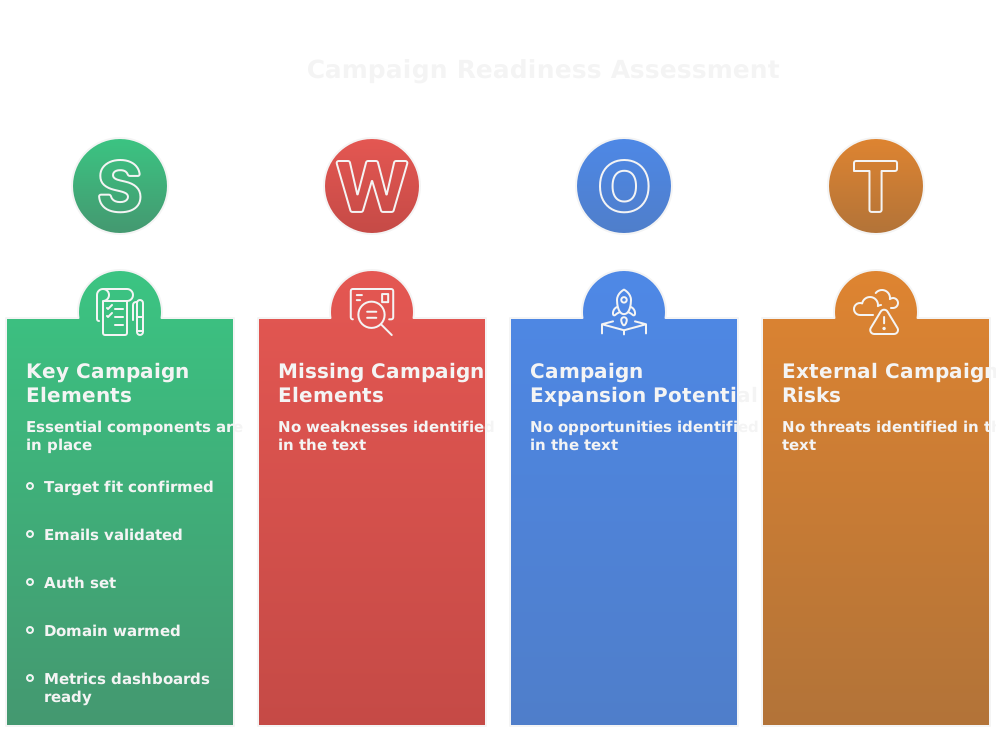
- Target fit confirmed, rules enforced, and segment size >100 for reliable signals.
- Emails validated, role addresses removed, and hard bounces suppressed.
- Auth set: SPF, DKIM, DMARC aligned and tested across sending domains.
- Sending domain warmed and daily volume plan in place, seeded with engaged inboxes.
- Sequences, subject lines, and CTAs drafted, reviewed, and token-proofed to avoid broken personalization.
- Templates loaded into the sequence tool with correct from-name, from-address, and reply handling set.
- Suppression lists synced across tools, including unsubscribes, do-not-contact, and global blocks.
- Metrics and dashboards ready: delivered, replies, meaningful replies, bounces, complaints, meetings, pipeline.
- Holdout or control group reserved to measure incremental impact.
- Rollback plan defined, including pause thresholds for complaint spikes, deliverability drops, or template failures.
Run this checklist every time you launch a new domain, major creative change, or a different ICP tier.
6 Step Outreach Playbook
1. Discover, score, and prioritize accounts
- Build lists from verified signals, then tier by value and intent. Treat top tiers as human-reviewed opportunities.
2. Design the sequence around one clear outcome
- Choose a single CTA and a primary metric you want to move, for example meaningful replies or booked meetings.
3. Draft short, signal-driven creative
- Hook, value, CTA. One personalization token and one verifiable signal per email. Keep it 3 to 6 lines.
4. Orchestrate channels and timing
- Combine email with a LinkedIn touch and a call for Tier 1. Let signals accelerate or branch the sequence.
5. Send, monitor, and protect reputation
- Watch Deliverability daily, suppress bad addresses immediately, and pause if complaints spike.
6. Learn fast and iterate
- Tag replies, extract themes, run quick tests, and update templates. Treat outreach as a GTM engine with feedback loops.
This playbook treats outbound as marketing, leverages automation to scale, and reserves human effort for where it matters.
Sample 6 Email Sequence With Copy Examples
Timing: Day 0, Day 3, Day 7, Day 14, Day 21, Day 35. Keep each email scannable.
1) Email 1 - Intro, low friction
Subject: Quick question about {company}
Hi {first_name},
Saw you just hired a Head of Onboarding. We help Head of CS teams cut time-to-value by 30% using events you already track. Would you prefer (A) a 15 minute call or (B) a 2-slide plan?
- {your_name}
2) Email 2 - Reminder + social proof
Subject: Two quick examples for {company}
Hi {first_name},
Following up. We helped {peer} reduce onboarding time 30% in 90 days. Want the 2-slide case or a short call this week?
- {your_name}
3) Email 3 - New angle, micro resource
Subject: 60 second benchmarking for {company}
Hi {first_name},
I ran a quick benchmark on companies like {company} and saw a common gap in event mapping. I can share a 60 second summary if useful. Want it?
- {your_name}
4) Email 4 - Value add without commitment
Subject: A quick peer metric for your team
Hi {first_name},
Most teams your size average 4 weeks to first sale post-onboarding. If you want, I’ll send anonymized numbers and one tactic that moves the needle. Yes or no?
- {your_name}
5) Email 5 - Case study + low friction ask
Subject: How {peer} cut ramp 40%
Hi {first_name},
We helped {peer} cut ramp 40% by automating qualification. I can share the 2-slide playbook or schedule 15 minutes to walk through it. Which do you prefer?
- {your_name}
6) Email 6 - Breakup with future touchpoint
Subject: Last note, then I’ll pause
Hi {first_name},
I’ll stop reaching out after this. If it’s useful later, I can check back in 3 months or send a one-slide audit for {company}. Interested in the audit now?
- {your_name}
Make swaps: swap subject or the second email’s social proof into earlier slots for tests. Keep CTAs binary and simple.
How To Run A Campaign Post Mortem
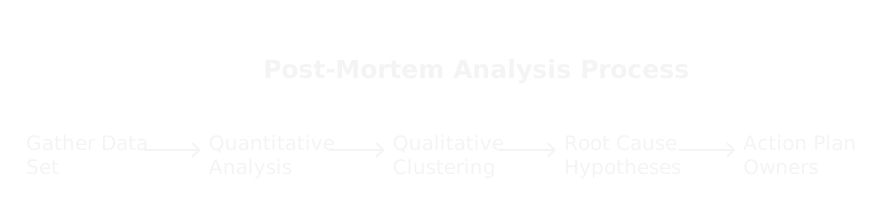
1. Gather the data set
- Exports: delivered, bounces, spam complaints, unique replies, meaningful replies, opens, clicks, meetings, pipeline. Include timestamped events.
2. Quantitative analysis
- Calculate delivered reply rate and meaningful reply rate by template, subject, and cohort. Compare treated vs control. Flag any deliverability anomalies.
3. Qualitative analysis
- Tag and cluster real replies for themes: interest, no budget, wrong contact, timing, feature objections. Pull representative replies for each cluster.
4. Root cause and hypothesis tree
- Map poor outcomes to causes: targeting, message, timing, deliverability, or operator error. Prioritize causes by impact and ease of fix.
5. Action plan with owners and deadlines
- Define experiments, who owns them, sample sizes, and success metrics. Schedule A/B tests and deliverability fixes.
6. Systemic fixes
- Update ICP rules, template library, suppression lists, and automation gating. Feed learnings into your GTM playbook so the same mistake isn’t repeated.
7. Repeat cadence
- Run post mortems after every major send or weekly for ongoing programs. Archive findings in a central playbook.
A post mortem turns signal into system. Treat it as the operating rhythm that keeps your outbound engine healthy.
FAQs


.png)
RELATED ARTICLES
Lorem ipsum dolor sit amet, consectetuer adipiscing elit, sed diam nonummy nibh euismod tincidunt ut laoreet dolore magna aliquam erat volutpat.